
It's 9:40 p.m. Someone wants a quote. Your site answers.
A virtual assistant answers your visitors' questions from your site, takes their contact details and alerts you by email and text message. You call back the next day, or you take over right away.
PmeWeb's own is in the bubble, bottom right of this page.

- Hello! A question about our furniture or our kitchens?
- Do you make custom walnut tables? For 8 people.
- Yes, the workshop makes custom tables, in walnut among others. Every project starts with a meeting at the workshop, in Laval. Would you like Julie to call you back?
- Yes, tomorrow after 5 p.m.
Drawn example.
From the first message to the next day's call.
Atelier Boisclair is a Laval cabinetmaker that does not exist: it is the site we test everything on. The pictures below come from the real portal, with sample conversations.
It answers with what is on your site.
Services, areas served, how you work, hours: the assistant draws on your site's content, which we review with you before switching it on. What isn't there, it doesn't make up.
- Always introduced as a “Virtual assistant”, never as an employee
- Visitors can attach photos of their project
- It asks for a name and a number, then forwards the request

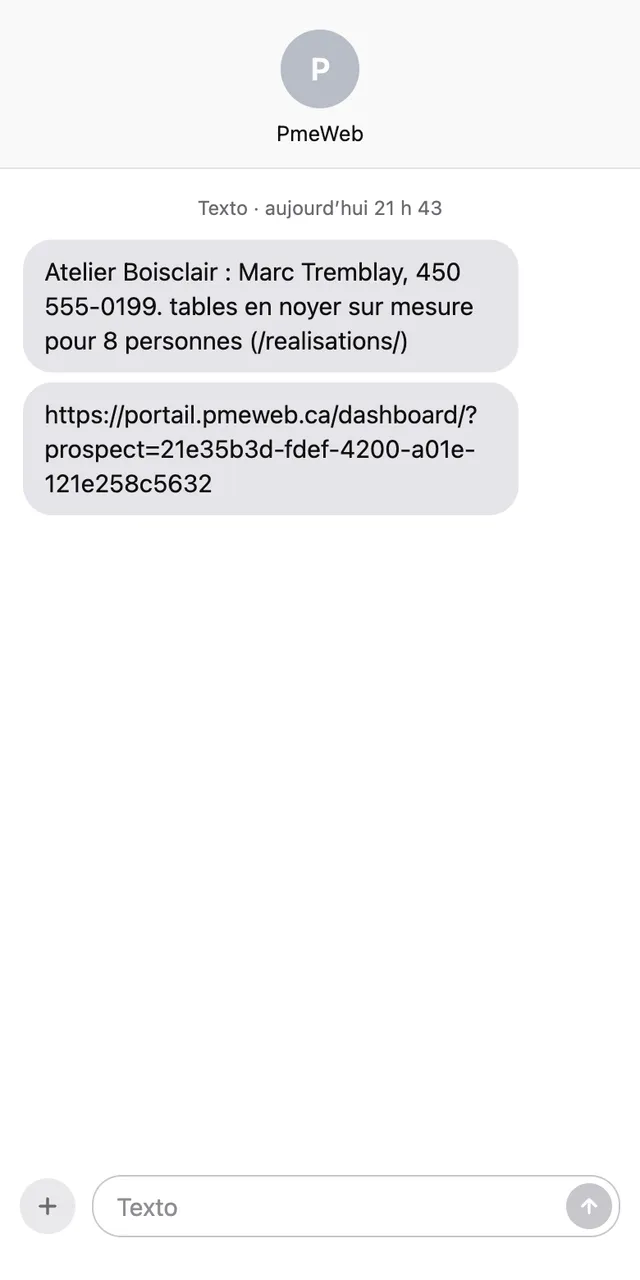
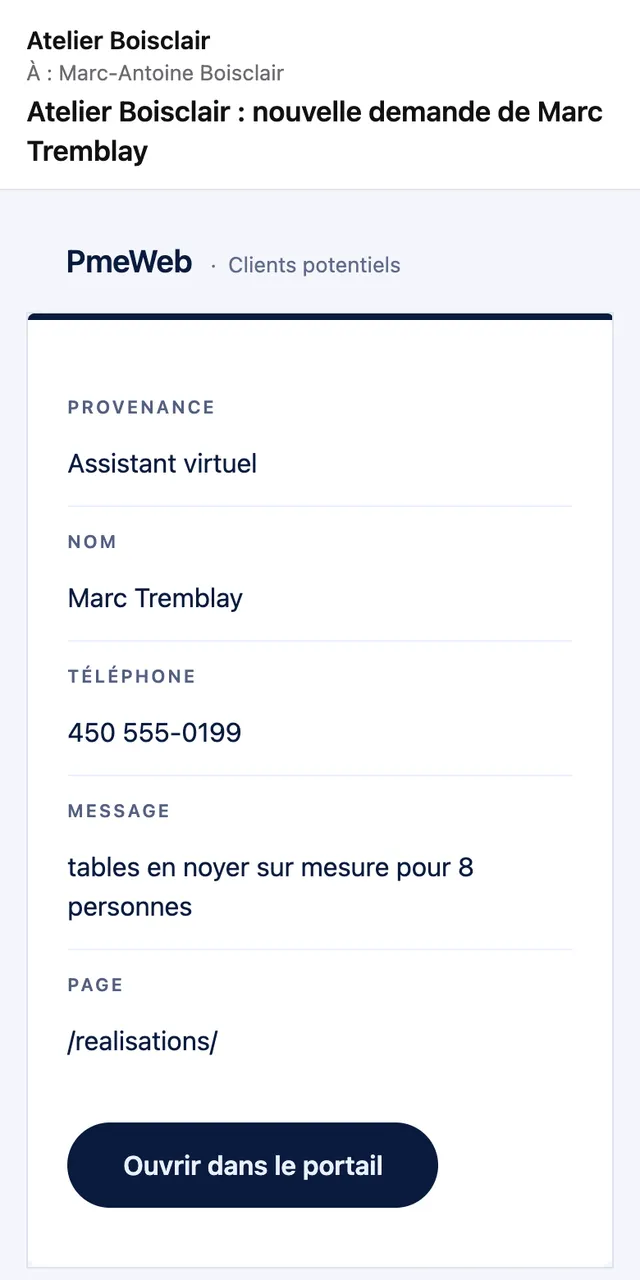
The request reaches you by email and text message.
As soon as the visitor leaves a name and a way to reach them, you get their request, with a link to the whole conversation: everything they asked, in their own words.
- To the email addresses and phone number you choose
- Counted in your statistics as a request
Or you take over, live.
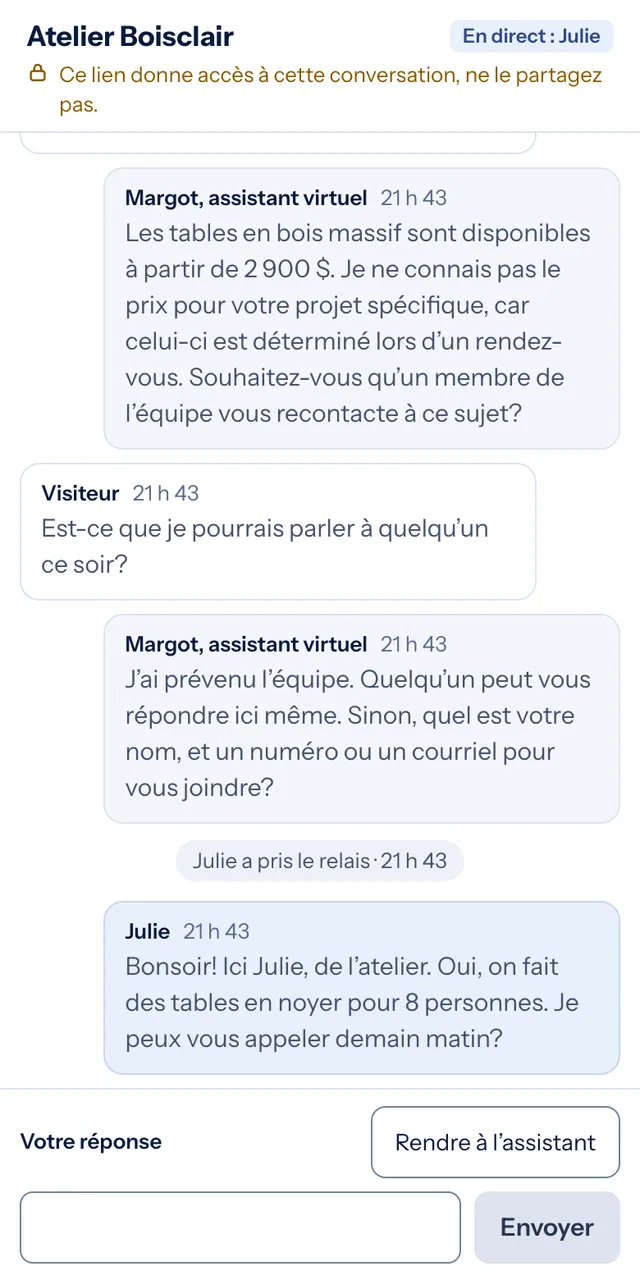
Still up? Open the conversation from the alert, or in your portal, and answer yourself. The visitor sees “Julie took over”. When you are done, you hand it back to the assistant.
- From your phone too
- Visitors always know whether they're talking to you or to the assistant
Every conversation, in your portal.
The ones that turned into a request, and the others. You see what your visitors really ask, and which questions come up most often.
- The request also waits in “Leads”, with those from your forms
- Attached photos show in the conversation
- A question that keeps coming back? We add it to your site

Its name, its face, your colours.
In Content › Modules › Virtual assistant, you give it a name and a face: a photo, an illustration or a simple icon on one of your site's colours. The change goes live with “Publish”.
- The faces are made by PmeWeb: they are not real people
- One switch takes it off your site; your conversations stay

It speaks the way you would.
Here is how it goes about it, conversation after conversation.
- It sticks to your facts
- Its answers come from your site. A question that needs your opinion? It forwards it to you, with the visitor's contact details.
- It introduces itself honestly
- “Virtual assistant” stays written next to its name, at every screen width, even with a face.
- Your site stays fast
- Its code arrives on the visitor's first move, not with the page. Performance measured at 100 on Lighthouse, demo page, November 13, 2026.
- Every request reaches you
- Name, how to reach them, the question: it all lands in your email, on your phone and in your portal.
$45 a month, added to your site.
The assistant is added to a PmeWeb site. We install it, prepare it from your content and adjust its instructions whenever you ask.
Is your site on WordPress or Wix? The assistant only works on PmeWeb sites. See what your site would be with us.
- Installation and preparation from your site
- Text alerts for all your requests, forms included
- Conversations and live takeover in your portal
- Adjustments to its instructions on request
- Your privacy policy updated (Law 25)
- No setup fee
Before you add it.
Does it replace my contact form?
No, the form stays, and both land in the same place: “Leads”, in your portal. The assistant mostly catches visitors who have a question before deciding to write.
Do my visitors know they are talking to a virtual assistant?
Yes. “Virtual assistant” is written next to its name at all times. When you take over, the conversation says so with your name.
What if a visitor asks a very specific question?
The assistant says so and forwards the question to you with the visitor's contact details. If it comes back, we add the answer to its instructions.
Where are the conversations kept?
With Cloudflare, outside Quebec, and your privacy policy says so. Photos sit in a private space, visible only in your portal.
Do I stay in control?
Yes. One switch in your portal takes it off your site; your conversations and settings stay.
Already a client? We add it to your site.
Write to us or ask for it in your portal. No site with us yet? Let's start there: $50/month, all included.